




I’m terrified of wasting things, especially a blog post I poured my blood, sweat, and tears into.
So, if you’re a writer like me, you know how much time it takes to churn out a decent post.
First, you have to do the http://childpsychiatryassociates.com/treatment-team/diane_palmer-200/ research and read at least 20 or so articles on your subject matter. Next, you have to do a plethora of things like rewrites, and adding images, keywords. And that’s just getting started.
After you’ve drained yourself by pouring your life essence into it, you hit publish and guess what happens?
Crickets.
No, wait…silence. Your traffic is lower than a Monday night in the middle of the Sahara Desert.
So, what to do?
And then, there’s the other big problem.
Let’s say you’ve written a magnificent blog post. A post so incredible that Copyblogger is calling you day and night to find out how you wrote it.
And then the next day, it dawns on you that you’ve got the massive chore of churning out a bunch of social media posts.
And your mind, body, and soul are drained to the point of no return.
Well Bunkey, I’ve got a solution for you.
If you’ve never thought about repurposing blog content into social media posts you’re in for a real treat. In this post we’re going to rip the cover off this subject and dive deep into it.
And guess what?
I’m going to show you how to repurpose a blog post across multiple channels quickly and easily so that your post gets more traction than ever before.
Does this sound like a good plan?
Good! Let’s get started.
The Benefits Repurposing Blog Content Revealed
If you’re an editor, you are in an endless content pressure cooker.
Your followers don’t want to wait every 2 weeks for a blog post to come out, they want a steady stream of stimuli for their brains.
And they don’t want boring, old, grade “B” content either. Your readers crave fresh, brain igniting material that will lead them to greater paths of glory. They want ideas that grab them by the gonads and engage their minds.. (Ouch. I guess I could have used a different description.)
And when you repurpose a blog post into social media – not only are you opening all of these wonders but other benefits emerge.
The biggest of these is the savings of time and energy. You don’t have to write more content because you are piggybacking on content that is already in existence.
Think about this, when you write a blog post from scratch, you have to:
- Perform keyword research
- Research your topic
- Create an outline
- Write the first draft
- Add text and graphic elements
- Rewrite the content
- Edit and format
- Publish
But when you repurpose content all you have to do is:
- Choose the core piece and extract its core message
- Decide what social media channel you want to sell it on
- Adapt the material for your channel
- Schedule and publish
So, just think of all the time and energy you’ll save by repurposing your blog content into social media.
And because you’re not rewriting your content but merely transforming it into another medium, you aren’t writing your ass off.
And think about this – by repurposing, you’ll expand your reach. You can publish all across the internet in multiple social media channels. Facebook, X, LinkedIn and other platforms will be your playground all at once bringing in traffic and followers.
And while we’re at it, you’ll be establishing the fact that you’re an authority. That’s right, you’ll street cred where it counts and your name can become synonymous with the term “thought leader”.
So, if you needed a few more reasons why you should repurpose a blog post into social media, there you are.
How to Repurpose a Blog Post into a Social Media Magnet
OK, now we’re getting down to the nitty-gritty. You now see the value of repurposing a post into a social media asset, now let’s see how you can actually do it.
And bear in mind, you want to be able to knock out these repurposed posts as quickly as possible.
So let’s say we want to transform part of a post into a LinkedIn post. The first thing we’ll need to do is take a section of a post that has value and copy it into a word processor.
Note: For the sake of not making this a huge example, I’m picking a shorter segment of a blog post to use. However, you can make yours as short or as long as you desire.
Step 1: Identify the Core Message to Repurpose
Start by scanning your blog posts for a section that would make a solid standalone LinkedIn post. Once you find one, copy it into your favorite word processor.
Here’s an example I pulled from a post I wrote back in 2024:
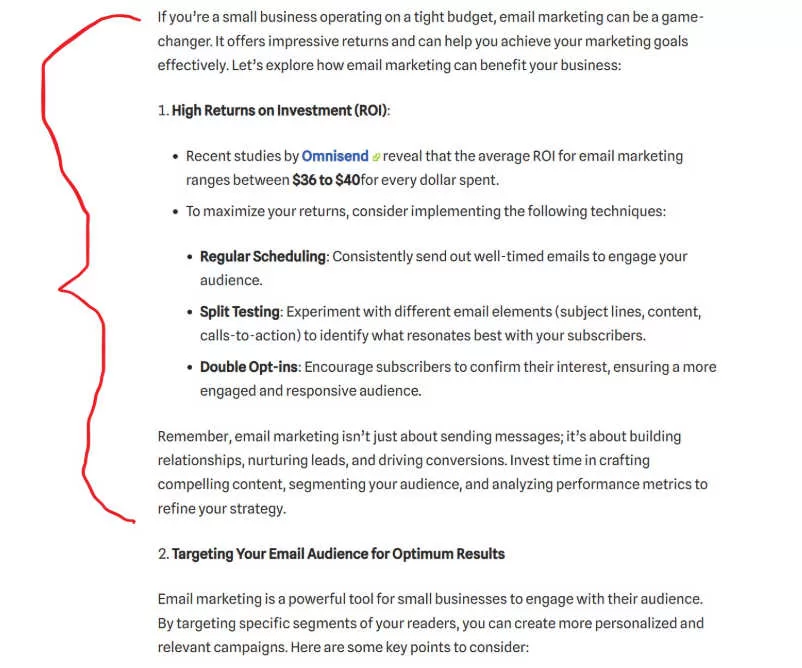
My subjects are evergreen content, meaning they never go out of style. If you’re writing about current events or something that changes every day, this strategy won’t work as well.
Email, for example, is evergreen—it’s not going away anytime soon.
Step 2: Grab Attention and Make It Current
If your blog post is older, update it with fresh stats or references. For example, my 2024 post referenced Omnisend stats. The figures are still accurate this year, but I’d update the link so it points to the latest page.
Next, craft a title that speaks directly to your audience. I write for business and executive coaches, so I keep my titles niche-specific. Broad titles for “everyone” don’t cut it—focus wins.
Here’s a title I’d use for this repurposed LinkedIn post:
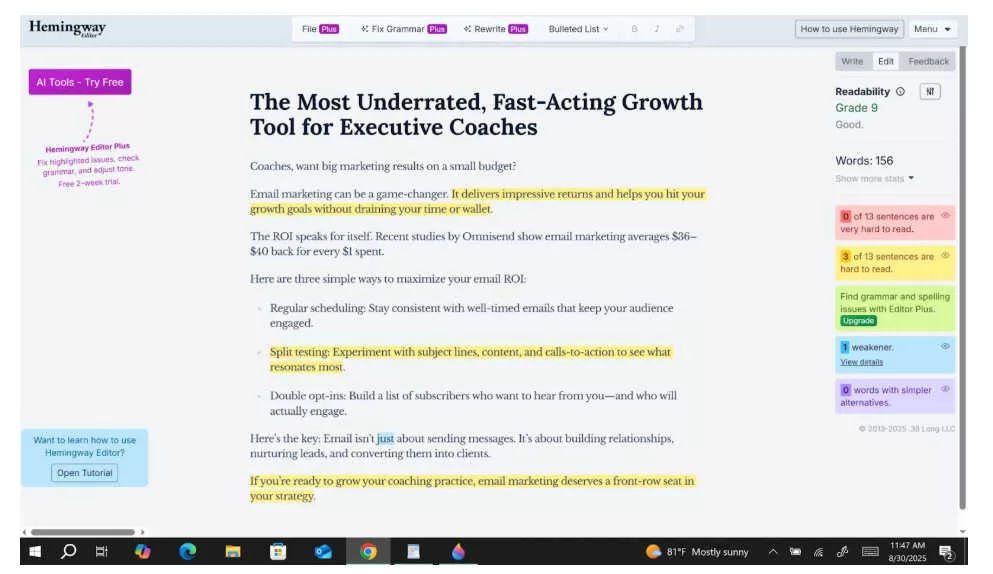
“The Most Underrated, Fast-Acting Growth Tool for Executive Coaches”
Once you have your title, drop it into your word processor. Personally, I like Hemingway Editor—it helps me spot long, clunky sentences and cut them down for quick reading.
Step 3: Drop Your Old Post into AI for Instant Magic
I like to write my own posts. If you check my site, you’ll see the content from the last decade is all mine. I don’t want to read something written by a machine—and I don’t want you to, either.
When I call a company for help, I want a human, not a bot. A real person has experience and can relate. A machine can’t.
That said, I do use AI—and I love it. ChatGPT saves me a ton of time, especially with emails. I pay the $20/month subscription because it helps me stay sharp while writing in my own voice. For me, it’s a tool, not a crutch.
Here’s the bottom line: if you use AI as a shortcut to replace your writing, you’ll hurt yourself. You won’t improve as a writer. Period. But if you use AI to repurpose content—like turning blogs into social posts—it can be a lifesaver.
Are ya feelin’ me?
The Proper Way to Use AI to Repurpose a Blog Post
Remember earlier when we talked about converting a blog segment into a social post? Here’s how I use ChatGPT to make it fast.
I treat it like I’m talking to a person. Here’s the exact prompt I use:
Take the following section from my blog post [paste section here] and repurpose it into a LinkedIn post. Write it for an audience of business and executive coaches. Keep it professional yet conversational, in my voice (clear, approachable, and a little snarky when appropriate). The post should be concise, easy to scan, and formatted for LinkedIn (short paragraphs, no emojis, and a strong hook in the first sentence). End with a thought-provoking question to invite engagement from coaches.
When I pasted in a section about email marketing, here’s the LinkedIn post ChatGPT gave me:
LinkedIn Post (repurposed from blog):
If you think email marketing is “old school,” think again.
For coaches, it’s still one of the smartest, highest-ROI moves you can make.
Here’s why: studies show every $1 spent on email marketing can return $36–$40. Not bad for something you can do without a massive ad budget.
To get the most from it, don’t overcomplicate things. Stick with a few core habits:
- Consistency: Show up in inboxes regularly.
- Split testing: Experiment with subject lines, calls-to-action, and content.
- Double opt-ins: Make sure subscribers want your emails—your open rates will thank you.
Bottom line: email isn’t about blasting promotions. It’s about building relationships, nurturing leads, and keeping your pipeline warm.
Coaches, here’s the real question:
👉 Are you treating email like the goldmine it is—or letting it gather dust while chasing the latest shiny platform?
Quick note: you’ll notice the icon at the end. I usually remove these. Two reasons:
- They make the post look AI-generated.
- Top influencers on LinkedIn don’t use them much—icons fit better on TikTok or Facebook.
Step 4: Drop Your Repurposed Post Into Social Media
Now it’s time to post. Copy your polished draft into LinkedIn and hit publish.
But if you really want attention? Add an image.
Images give your post more “bazinga.” I usually create mine with ChatGPT, but if you don’t have the paid version, Bing’s Image Generator works great. It even saves your images for 90 days.
Here’s an example of a prompt I used for an image:
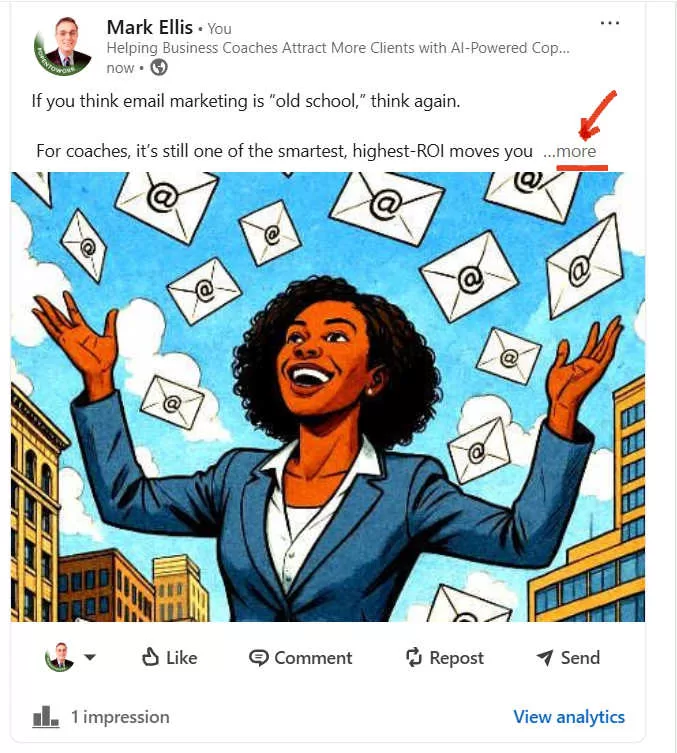
Create a comic-book-style yet realistic image of an African American professional businesswoman, smiling as emails rain down on her in a city.
The more specific you are, the closer you’ll get to what you want.
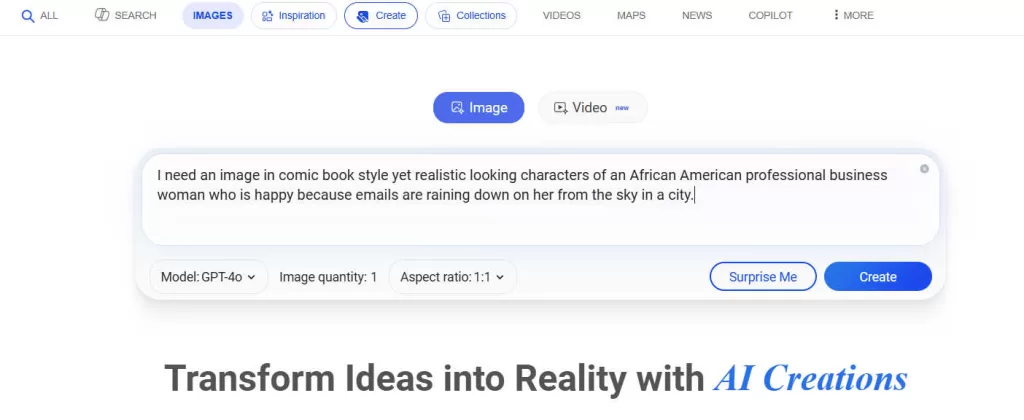
After entering my prompt, here is the image it gave me:
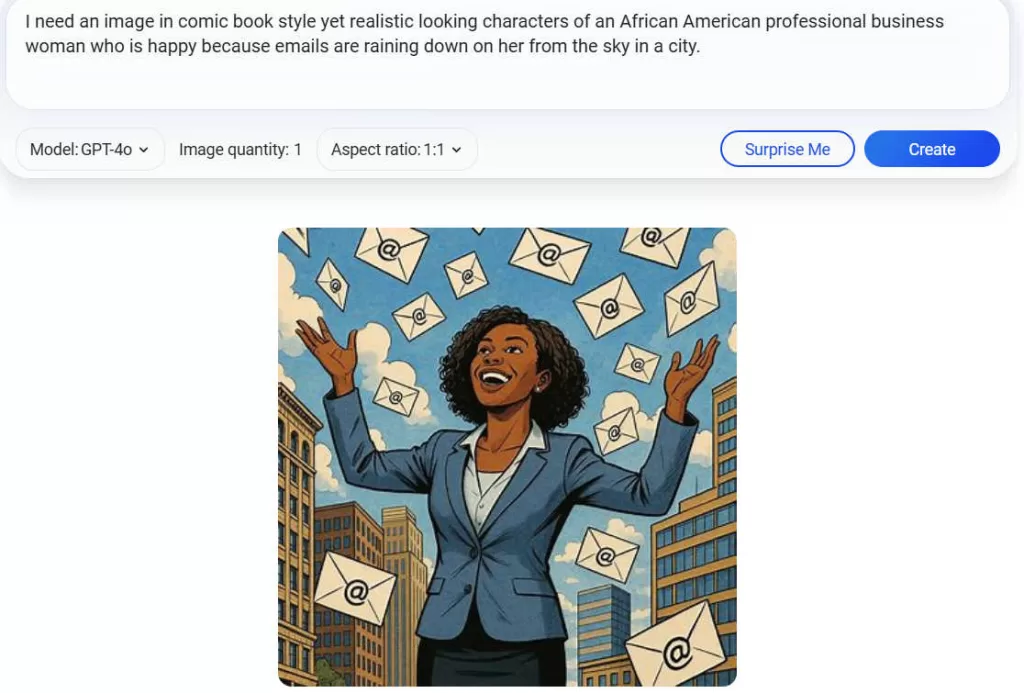
Once you’ve got the image you want, run it through a basic graphics editor. Brighten the colors, crop it, and make sure it looks sharp and professional. A little polish goes a long way.
Now it’s time to post on LinkedIn. Normally, you’d click the box that says “Post.” But since we’re adding an image, click “Media.” That way, you can upload your freshly edited image along with the text.
Upload your image, then click the “alt” button to add descriptive text. This makes your post accessible and easier for LinkedIn (and search engines) to understand. For example:
“African American businesswoman, a coach, standing in a city with emails raining from the sky.”
Once the image is set, just copy and paste the text you wrote into the main post field. Hit publish, and you’re live.
Once you’ve got the image you want, run it through a basic graphics editor. Brighten the colors, crop it, and make sure it looks sharp and professional. A little polish goes a long way.
Now it’s time to post on LinkedIn. Normally, you’d click the box that says “Post.” But since we’re adding an image, click “Media.” That way, you can upload your freshly edited image along with the text.
Upload your image, then click the “alt” button to add descriptive text. This makes your post accessible and easier for LinkedIn (and search engines) to understand. For example:
“African American businesswoman, a coach, standing in a city with emails raining from the sky.”
Once the image is set, just copy and paste the text you wrote into the main post field. Hit publish, and you’re live.
Once you’ve pasted your text and clicked “Publish,” you’ll see your repurposed blog post live with its shiny new image.
A Few Things to Do Before You Hit Publish
- Space it out. Break up your sentences and paragraphs so they’re easy to skim. Big blocks of text scare readers off.
- Kill the icons (if you want). As I mentioned before, icons make a post look AI-generated. Some folks like them, but I usually remove them.
- Be smart with links. This one’s important: don’t drop your link in the main post. Put it in the first comment instead.
Why?
Because LinkedIn doesn’t like sending people off its platform. If you stick a link in the body of your post, the algorithm buries it. But if you post your link in the first comment—say, to your website—it gets the visibility without the penalty.
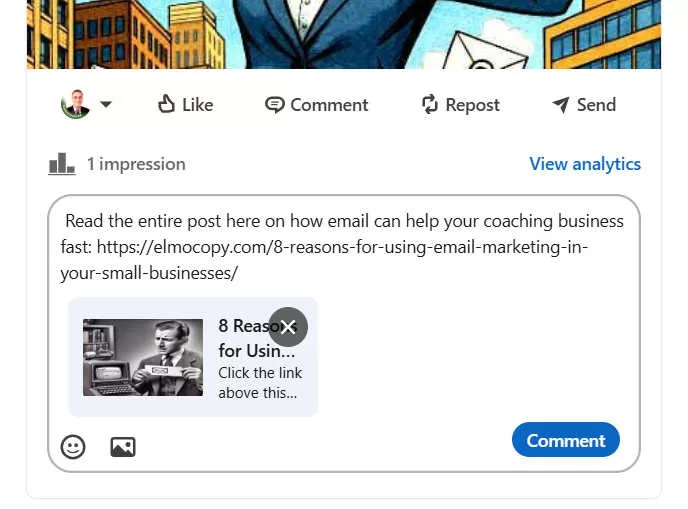
(I just dashed that off to get this post wrapped up. But let’s be honest—you could write a stronger call to action here.)
Why This Won’t Offend the Search Engines
For years, people have worried about duplicate content penalties from Google. The logic is simple: if the exact same post shows up all over the internet, Google doesn’t know which one to rank first.
But here’s the good news: when you repurpose a blog post with AI, you’re not copying and pasting—you’re creating something new. That means no duplicate content issues.
In fact, because the repurposed version is different from your original blog, you can post it on LinkedIn, Facebook, Medium, or anywhere else without hurting your search rankings. It’s fresh content everywhere, with zero downside.
Wrapping It Up
Repurposing blog content into social media isn’t rocket science—it’s smart marketing. Instead of sweating over brand-new posts every week, you’re stretching the mileage of work you’ve already done. That means less burnout, more reach, and a whole lot more consistency.
The formula is simple:
- Find a strong section of your blog.
- Update it so it feels current.
- Use AI as a helper (not a crutch).
- Add an image.
- Post it where your audience hangs out.
Do this once, and you’ll see how much easier content creation gets. Do it regularly, and you’ll have a system that feeds your platforms without draining your energy.
So here’s my challenge for you: pick one of your blog posts today and turn a section of it into a LinkedIn post. Don’t overthink it—just follow the steps.
Paman Empire bookmark your blog and take the feeds alsoKI’m happy to seek out